
Search K
Appearance
Released: 2026-09-07
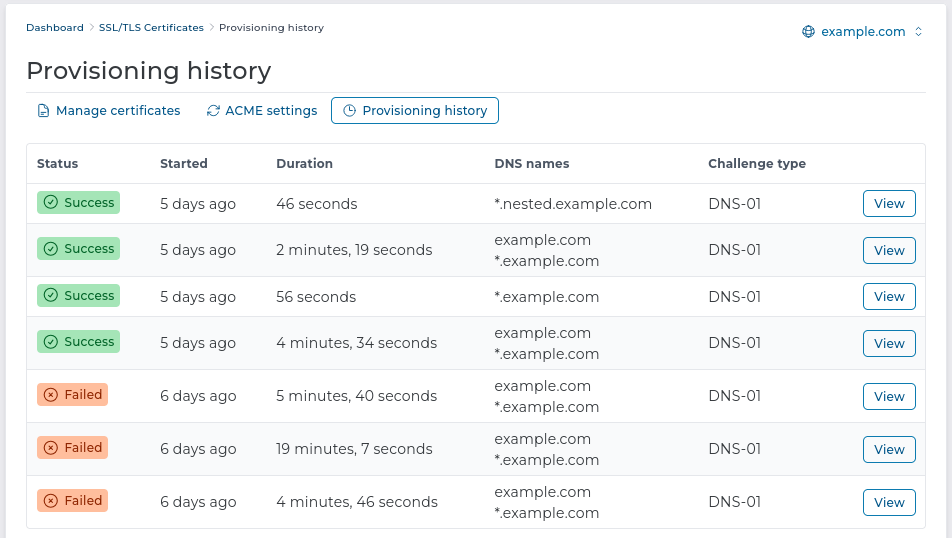
A new sub-page "Provisioning history" is added. It can be found on the user-level menu Account Manager -> SSL/TLS Certificates.
It will show the recent automatic certificate issue attempts. Previewing a single certificate issue attempt will include the lego tool output. This will make it easier for server administrators to debug the ACME problems and will provide more transparency for the new TLS system.
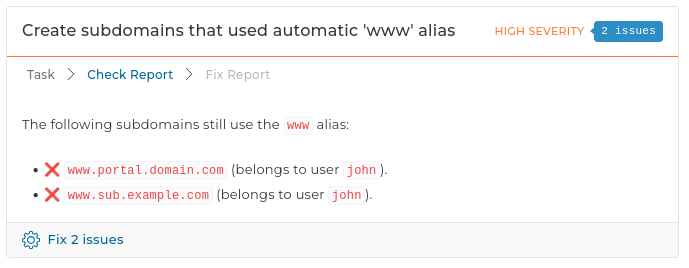
www aliases new This task searches for subdomains that might have used the www alias. The alias is considered to be used if there is a TLS certificate for it.
The fix action of this task will create additional subdomains with the www prefix and configure them to work like the old domain aliases.
It helps users who actively used the automatic subdomain www alias to keep backwards compatibility.
If possible we recommend to stop using subdomain aliases and use only one domain name to reach the subdomain website. Either the name with or without the www prefix. If only one name is used this migration is not needed.
The cPanel main page, which lists all running and completed tasks, now has an updated table layout.
The Ignore Errors and Replace Users columns were moved into a detailed task information dialog. The dialog also includes other useful task settings, such as Preserve owner and Home override, as well as an error message when a task fails.
To open the dialog, click the Details button in the task's actions column.
DOCROOT token update The web server configuration templates are updated. Key changes:
DOCROOT token will be used for both domains and subdomains. Previous releases used the SDOCROOT token for subdomain document root.DOCROOT token will be set by the main DirectAdmin service before the template is evaluated.REALDOCROOT and PUB_DOCROOT are completely removed. They were defined inside the templates but not used.SDOCROOT will still be available. The value of this token will be the same as the main DOCROOT token.Special care should be taken if the token DOCROOT is being changed in the CUSTOM[N] sections. It is still possible to change the document root by changing this token value. However, since subdomains are now using the token DOCROOT instead of SDOCROOT, a customised main document root can leak into the subdomain configuration.
This change affects the following templates:
nginx_server.confnginx_server_secure.confnginx_server_secure_sub.confnginx_server_sub.confopenlitespeed_ips.confopenlitespeed_redirect_vhost.confopenlitespeed_vhost.confvirtual_host2.confvirtual_host2_secure.confvirtual_host2_secure_sub.confvirtual_host2_sub.conf15.11 to 15.125.4.0 to 5.4.11.31.4 to 1.31.51.7.3 to 1.7.40.13.0 to 0.14.0config-set CLI command update A set of quality of life improvements for DirectAdmin config-set CLI command:
key=value argumentdirectadmin.service by default--no-reload flag to disable automatic reload/restart--restart flag as it is now reloaded by defaultExample:
# before v1.710
da config-set letsencrypt 1             # manual reload required
da config-set letsencrypt 1 --restart
da config-set letsencrypt=1             # not supported
# since v1.710
da config-set letsencrypt 1
da config-set letsencrypt 1 --restart   # same as without --restart
da config-set letsencrypt=1             # alternative key=value usage
da config-set letsencrypt=1 --no-reload # manual reload requiredIn earlier releases, the manually uploaded main server TLS certificate would be placed in the /usr/local/directadmin/conf directory but would not be copied over to external services like Apache, Exim, etc. While certificates issued with the ACME system would be automatically shared with external services.
This bug is fixed, and the main server certificate is shared with the external services no matter which way it was acquired.
www prefix removal The web server configuration templates are updated to stop creating automatic www aliases for subdomains.
For example, the subdomain sub on domain example.com will only be reachable by the address sub.example.com and will no longer be reachable with www.sub.example.com.
To make a single subdomain reachable from multiple addresses, multiple subdomains should be created. They can share the same document root directory.
To help users who used the www alias for the subdomains, a new maintenance task is added. It can create and configure additional subdomains with the www prefix.
sshdconfig configuration option from directadmin.conf removal This was used for managing ssh access by adding or removing AllowUsers sshd directive. This option was deprecated in 1.61.0
DirectAdmin will no longer try to manage AllowUser directives in /etc/ssh/sshd_config.