
Search K
Appearance
Released: 2026-02-03
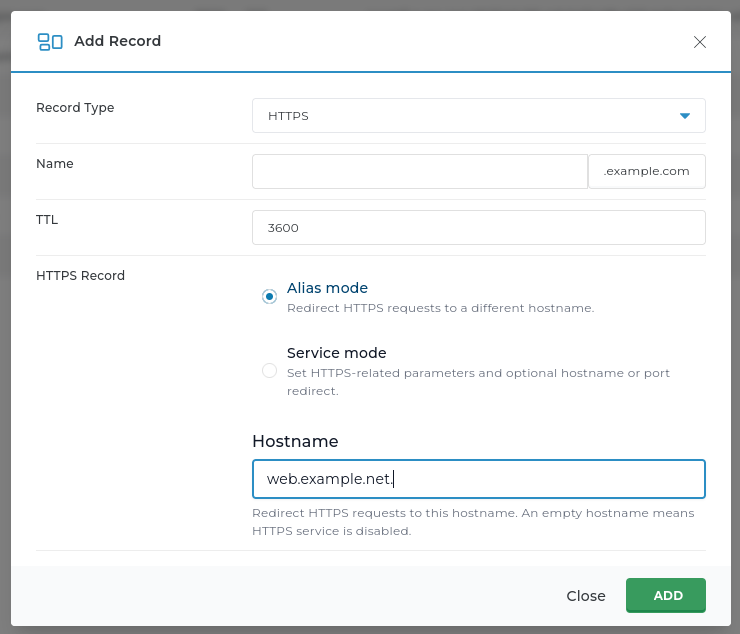
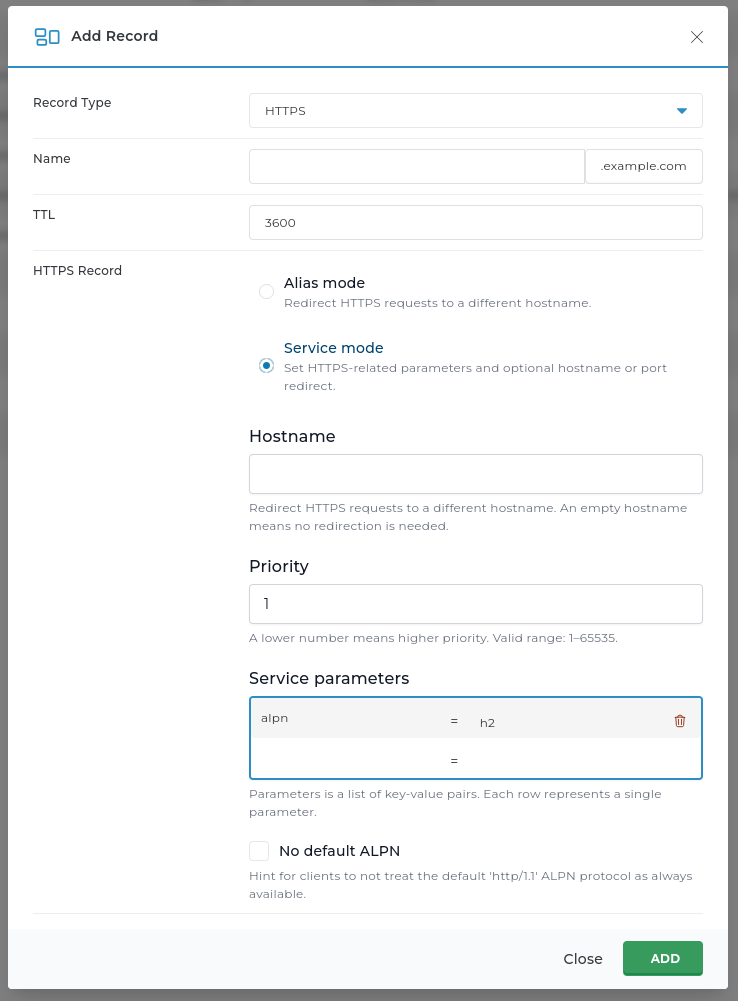
A new DNS resource record types - HTTPS and SVCB (RFC 9460) is supported by DirectAdmin. These DNS records enables the following features:
The availability of the new DNS record type in the user interface can be managed with a new dns_https and dns_svcb configuration options. Support for the new record types are enabled by default.
The default DNS HTTPS record set for new domains can be configured by creating a customised copy of the data/templates/dns_https.conf template file or data/templates/dns_svcb.conf template file.
The CustomBuild tool now supports installing Unbound. Unbound is a validating, recursive, caching DNS resolver. Running it locally on the server can bring multiple advantages:
Installing the Unbound DNS server can be enabled by setting the unbound=yes option in the options.conf file.
When CustomBuild installs the Unbound DNS server, it configures it to listen for the DNS requests on the 127.0.0.253 loopback IP address. This prevents the Unbound service from clashing with the Bind authoritative DNS server or the systemd-resolved stub resolver.
To enable and install the Unbound DNS server, use the following commands:
da build set unbound yes
da build unboundNote: CustomBuild will not automatically reconfigure the system to start using the Unbound resolver as the default system resolver.
There is a separate feature for starting to use the Unbound DNS server as main system resolver. It is controlled with the unbound_as_default_resolver option in the options.conf file.
To install the Unbound DNS server and start using it as default server resolver, use the following commands:
da build set unbound yes
da build set unbound_as_default_resolver yes
da build unboundA new hook for filemanager remove file action is added file_manager_remove_pre.sh.
The File Manager file editor has been redesigned with several key changes:
on and a muted grey color for off. Dropdown selectors kept the same available options.Save File As option, as it was deemed no longer necessary.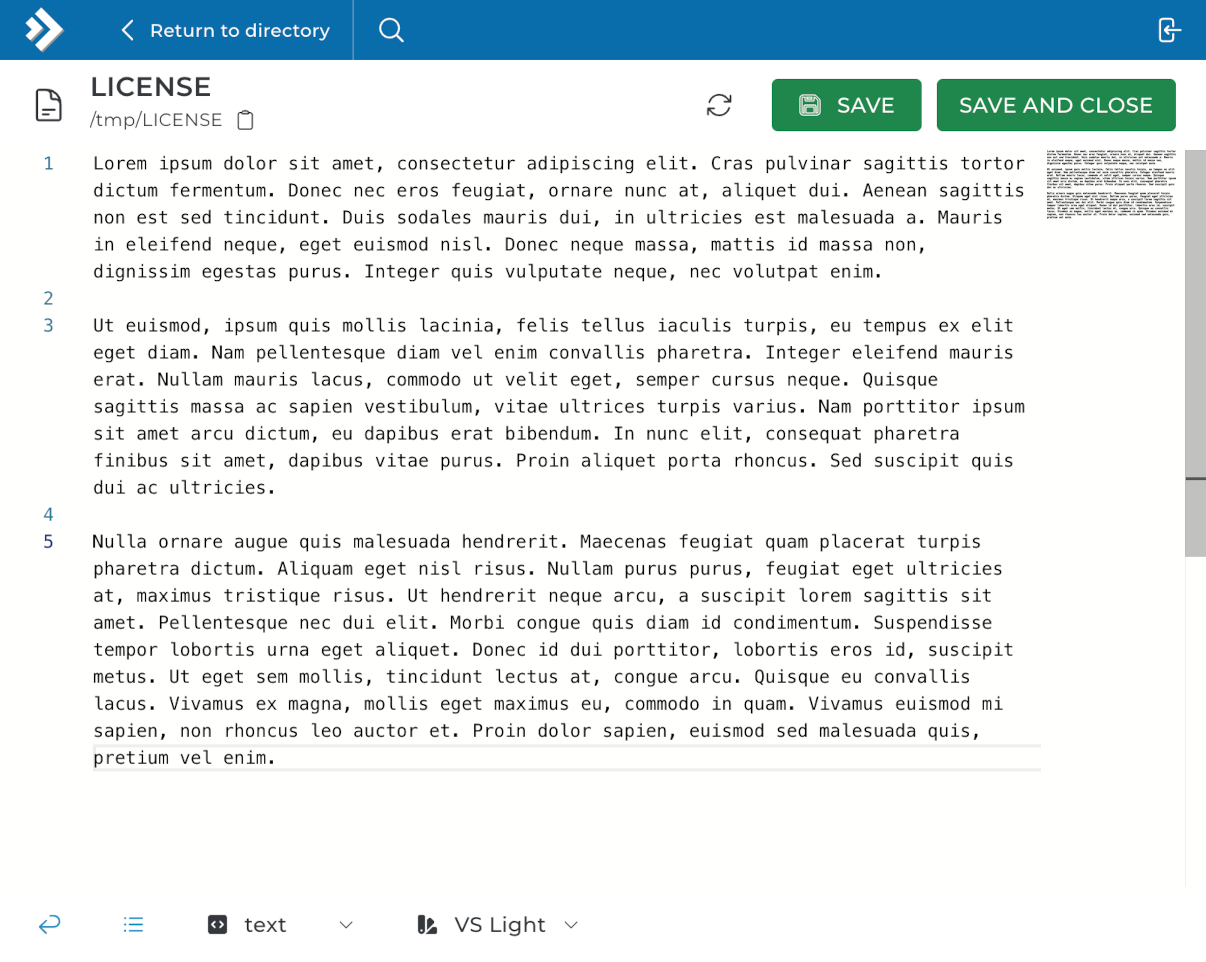
In this release CustomBuild got new options:
| Setting | Options | Default value |
|---|---|---|
wpcli | yes/no | yes |
imapsync | yes/no | yes |
composer | yes/no | no* |
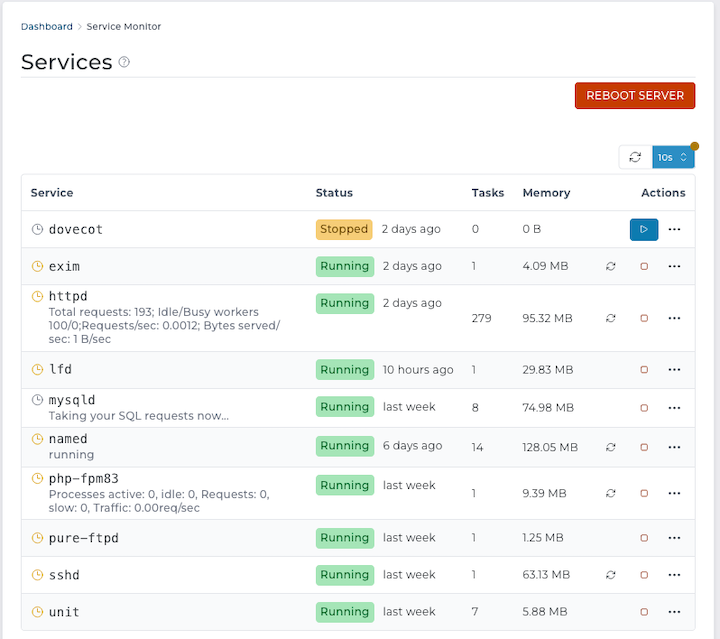
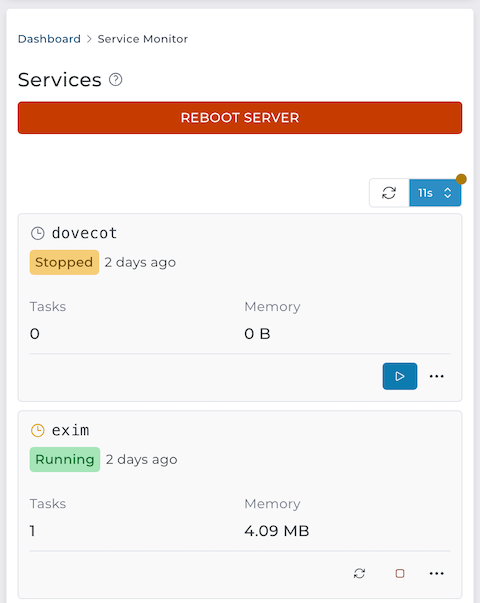
options.confThe service monitoring page now features a refreshed design, improved mobile experience, and auto-refresh functionality.
CMD_PLUGIN_MANAGER "add" action logic was changed. Most notably, it will:
2.9.3 to 2.9.58.0.44 to 8.0.458.4.7 to 8.4.8Exim mail server configuration was updated to avoid double delivery of emails to the UNIX user account mailbox when system_user_to_virtual_passwd is enabled but the forwarders file /etc/virtual/{domain}/aliases still contains legacy forwarding to the system mailbox.
The File Manager now checks whether the target directory is accessible before redirecting the user and updating the path value in the URL.
Previously, in some cases the URL path could become out of sync with the directory that was actually being displayed.
A recent upgrade to the File Manager file editor content loading request caused valid JSON files to fail to load, showing an empty editor instead.
This issue is fixed in this version.
Old systemd (on RHEL 8 systems) do not properly support working directory management for socket files (the RuntimeDirectoryPreserve option). This caused isolated PHP-FPM service reconfiguration to remove other sockets on RHEL 8 systems.
The isolated PHP-FPM socket configuration file is updated to manually manage the working directory lifecycle. This makes it work correctly on all supported Linux distributions.
Tokens (|DOMAIN|, |WEBAPPS_SSL|, |HOSTNAME|, |WEBMAIL_LINK|) no longer resolve to different values for menu entries added within "Customize Evolution Skin" page.
The email Sender Policy Framework (also known as SPF) uses the DNS TXT record type. The explicit SPF DNS record should not be used by the SPF implementations.
Starting with this release, DirectAdmin will no longer support the explicit SPF DNS record type. The configuration option dns_spf, which used to enable this functionality, is removed.
The CustomBuild option sa_update is removed from the options.conf file. This option was used to control how often the script to update SpamAssassin rules is called.
The new rules update file will run once per day by default. The execution frequency and update command can be customised by creating a custom copy of the configure/spamassassin/sa-update-cron file.